Need a Free Branded
QR Code?
You're in the right place!
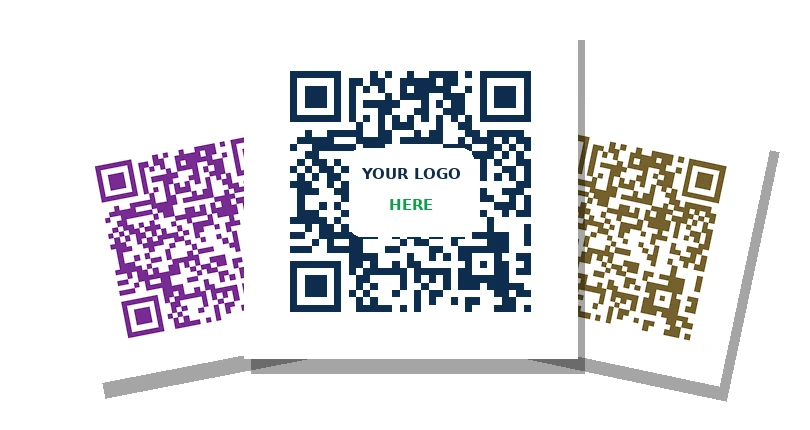
Create fully branded QR codes with your logo, matching brand colours and custom styling — completely free, in seconds.
- ✓ Add your company logo
- ✓ Automatically match your logo colours
- ✓ Download in high quality (PNG or SVG)
Create Your QR Code
Enter your details, add your logo and download — it's free!
preview
🎨 Customise Colours & Style (Optional)
For reliable scanning, use dark QR patterns on a light background. Always scan-test before printing.
Live Preview
These are static QR codes: the information is stored in the code itself. Always scan-test before printing or sharing.
Fast & Easy
Create your QR code in seconds
Fully Customisable
Add your logo, automatically matched colours and style
High-Quality Download
Get PNG or SVG for print or digital use
Completely Free
No sign up, no watermark, no hidden charges
How It Works
Create a professional QR code in three simple steps. No account, no design experience and no payment required.
Enter your details
Choose a QR code type and enter the website, contact details or other information you want to share.
Add your branding
Upload your company logo and choose colours that match your brand. Preview changes instantly.
Download and test
Save a high-resolution PNG or SVG. Scan it with a phone before printing it on marketing materials.
QR Codes for Every Occasion
From business cards and restaurant menus to Wi-Fi access and event promotions, choose the QR code that suits your needs.
Website QR Code →
Send customers directly to your website, landing page or online menu.
Wi-Fi QR Code →
Help visitors join your Wi-Fi without typing a long password.
Business Card QR Code →
Share a digital contact card people can save to their phone.
WhatsApp QR Code →
Make it easy for customers to start a WhatsApp conversation.
Email QR Code →
Let people start an email to your chosen address.
Location QR Code →
Share a location to help people find your venue or event.
Frequently Asked Questions
Everything you need to know about creating free QR codes with your logo.
Are these QR codes really free?
Yes. You can create and download static QR codes in PNG or SVG without paying, registering or adding a watermark.
Can I add my company logo?
Yes. Upload a PNG, JPG or WebP logo, or enter your business name. Choose a centre or corner placement, then scan-test your finished design.
Do my QR codes expire?
The static QR codes generated here do not have an expiry date. A website QR code will only work while its destination website remains accessible.
Can I change a QR code after printing it?
Not with a static QR code. The information is built into the pattern, so changing the destination means creating and printing a new QR code.
Which file should I download?
PNG is ideal for social posts and everyday use. SVG is a scalable vector format suitable for many print and design workflows.
Will my uploaded logo be stored?
Logo processing happens in your browser. This site does not upload your logo to our servers to generate the code.
Why might my QR code not scan?
Very large logos, low contrast, tiny printing or insufficient white space around the QR code can make scanning difficult. Try a smaller logo and darker foreground colour.